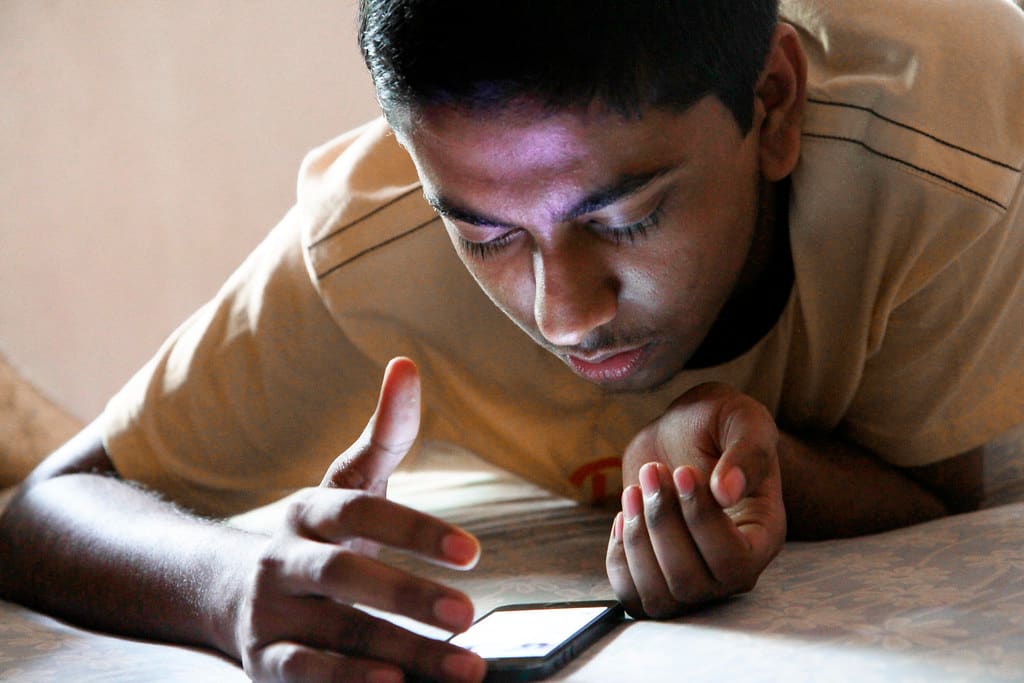
Fewer arguments.
The rules take effect on their own — at 21:00 it’s closed, after 45 minutes of Roblox too. You don’t enforce anymore, you just decide.
Photo: pabak sarkar / Flickr · CC BY 2.0
Fewer arguments. Clear rules. More time for each other.
No arguing. No shouting. No stopwatch on the wall. familydevice blocks apps on your kid’s iPhone – on a schedule, with a daily limit or through an if-then rule. Built on Apple’s Screen Time, no profile, no reset – and your data stays on your iPhones. You don’t have to enforce anything anymore.
familydevice is in beta. You get an invitation through Apple’s TestFlight — free until you pair a kid’s iPhone.
21:00
Bedtime kicks in
07:00
Apps back on
15 min
More time on request
Everything open.
Afternoon, no schedule active, no limit reached.
⇢ On the real iPhone, through Apple’s Screen Time. Deleting the app, changing the clock, switching accounts: only with you.
 19:12
19:12Dinner.
Three chairs, three plates, no phone. Schedule “Dinner”: 18:30–19:30, all groups, daily.
Photo: Direct Media / StockSnap · CC0 1.0
 16:24
16:24Friends.
Roblox gets 45 minutes a day, 90 at weekends. They were used up at 16:20. So now he’s outside. That’s not magic, that’s a daily limit.
Photo: Family Moments / StockSnap · CC0 1.0
 07:38
07:38Morning.
No argument before the walk to school. Schedule “School”: from 07:30 to 14:00 the group is simply off, and you get notified.
Photo: Alex Jones / StockSnap · CC0 1.0
The rules take effect on their own — at 21:00 it’s closed, after 45 minutes of Roblox too. You don’t enforce anymore, you just decide.
Your kid sees what’s blocked, why and until when. Instead of tricks there’s a button: “Request more time”.
You answer requests right from the notification. If someone removes a lock, you find out.
You set everything on your iPhone. The kid’s iPhone enforces it — even offline, even with the app closed. Changes arrive in under a minute.
Start and end times, individual weekdays, across midnight, per app group. After pairing, “Bedtime 21:00–07:00” (the whole iPhone) and “School 07:30–14:00 Mon–Fri” are already there — you loosen instead of building.
Tap the app, pick the minutes, done. Set from the start: 30 minutes of social media, 45 minutes of games, 45 minutes of video, 2 hours of screen time in total — more at weekends. When the time is up, everything is shut until the next morning, and your kid can request more time.
IF the iPhone or an app is used, a limit is used up or your kid arrives at a place, AND it is between 22:00 and 06:00, THEN you get notified, your kid gets a message, and the apps shut until morning. From templates or built freely.
Apps that stay open through every block — even when their whole category is blocked.
“Leo wants 30 min of social media — school group chat.” Approve or decline without opening the app, with a note. The first decision counts. Every request, decision and triggered rule is in the history, with time and name.
Every kid’s iPhone on a card: what’s blocked right now, limit rings, open requests, protection status. A second parent’s iPhone pairs with the kid’s iPhone, behind your PIN.
The app on the kid’s iPhone needs no PIN — the iPhone belongs to your kid. Instead of tricks there’s a button: “Request more time”, 15, 30 or 60 minutes, with a reason. One open request per group, and a ten-minute break after a no.
BLOCK SCREEN
Blocked right now
Social Media is blocked until 07:00 · Bedtime.
What’s blocked right now — and until when.
“Blocked until 07:00 · Bedtime”, a countdown during an approval, a progress bar for the daily limit: “30 of 45 today · 15 min left”.
What their parents see.
Under “What your parents see” is what currently goes to the parent’s iPhone — places, movement, network — and under “Your parents get notified” every if-then rule in plain words. No secret surveillance.
Their own usage.
Your kid sees their own screen time, steps and network — no PIN needed.
Where the request stands.
Sent, reached Dad at 14:02, waiting, approved or declined with your note — as a timeline, the last 30 days.
Rules, requests and history live on your devices. The app never connects to a server of ours — we have no account for you and see nothing of your family.
Nearby, the iPhones talk to each other directly; on the go, through your own iCloud. Apple only carries encrypted messages it cannot read.
Places, movement and network are off until you turn them on. The kid’s iPhone shows under “What your parents see” what is currently going to you.
The only parties involved are Apple (iCloud, notifications, App Store) and — if you turn on DNS metering — a public DNS service. All the details are in the privacy policy.
One app, two roles. Your family’s iPhones talk to each other directly and encrypted — nearby directly, on the go through your own iCloud. Apple only sees ciphertext.
On the kid’s iPhone you choose “This is my kid’s iPhone”, confirm Screen Time access with your Apple Account and set a 6-digit parent PIN. The kid’s iPhone has to be signed in with a child account from your Family Sharing.
Like an Apple Watch: both iPhones show the same 6-digit code, you confirm on both. From then on, everything between your iPhones is end-to-end encrypted.
The app sets the locks against the usual tricks and only finishes once the Screen Time passcode and “Ask to Buy” are in place. Bedtime, school and daily limits are active right away; whatever is too strict for you, you loosen on your iPhone.
The one limit: anyone who knows the device passcode and the Apple Account password can erase an iPhone. Nobody can prevent that — but you’ll notice: the iPhone then shows as “lost” on yours.
Setup only finishes once all locks are in place. After that, the kid’s iPhone checks them continuously and sends a heartbeat after every 15 minutes of use — even if the app has been swiped away. You set the interval.
Downloading, setting up and trying the simulation is free. The subscription only starts when you pair the first kid’s iPhone: €10 a month, €1 more for each additional child. No add-on packs, cancel monthly.
If the subscription ends, the locks on the kid’s iPhone stay in place. Changing rules and answering requests needs a subscription again.
Without a paired child: free.
incl. VAT · via the App Store · cancel monthly
familydevice is in beta. You get an invitation through Apple’s TestFlight — free until you pair a kid’s iPhone.
iPhone with iOS 17 or later. The kid’s iPhone needs a child account in your Apple Family Sharing, and iCloud on both iPhones for when you’re out and about.
Photo: Direct Media / StockSnap · CC0 1.0