Set up your kid’s iPhone.
Strict by default. You only loosen what is too much for you.
Two things first
- —The kid’s iPhone is signed in with a child account of your Family Sharing group (Settings → Family).
- —familydevice is installed on both iPhones (TestFlight invitation). Bluetooth and Wi-Fi are on.
What it looks like
- Pick the role
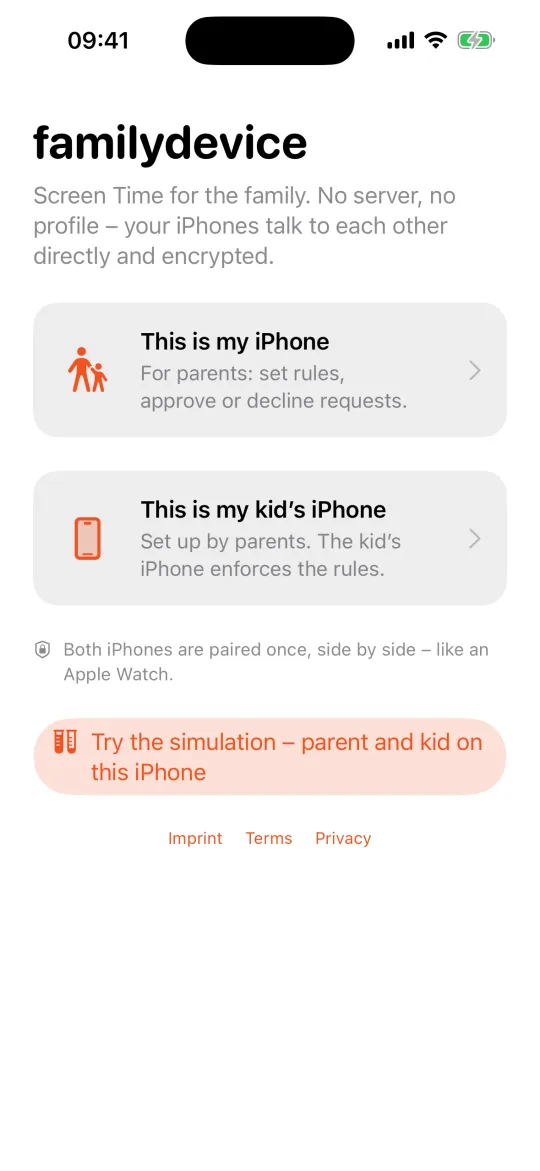 1
1 - Screen Time
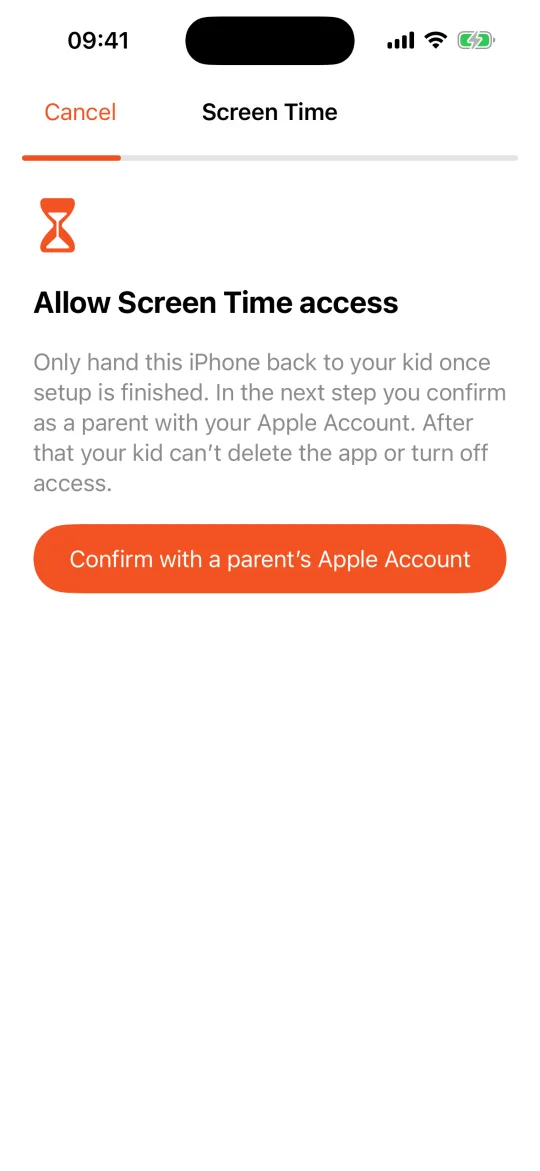 2
2 - Parent PIN
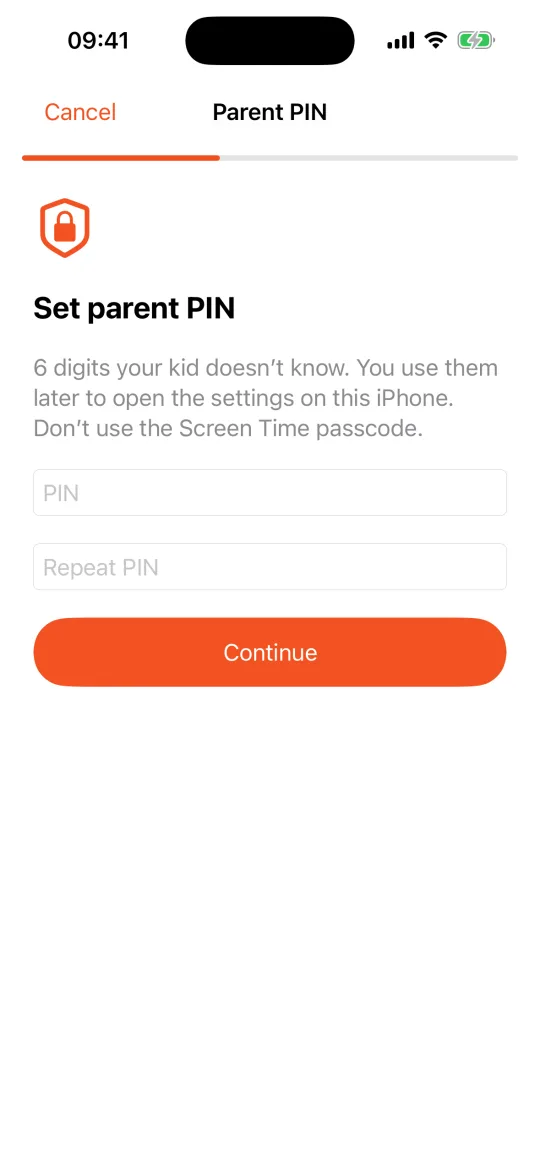 2
2 - Compare the code
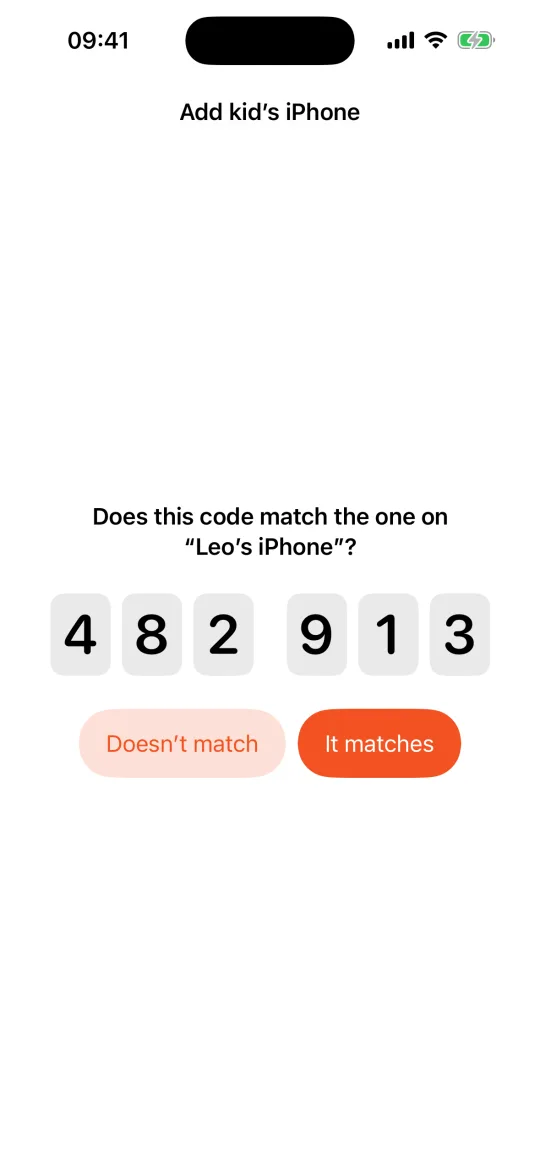 3
3 - Check protection
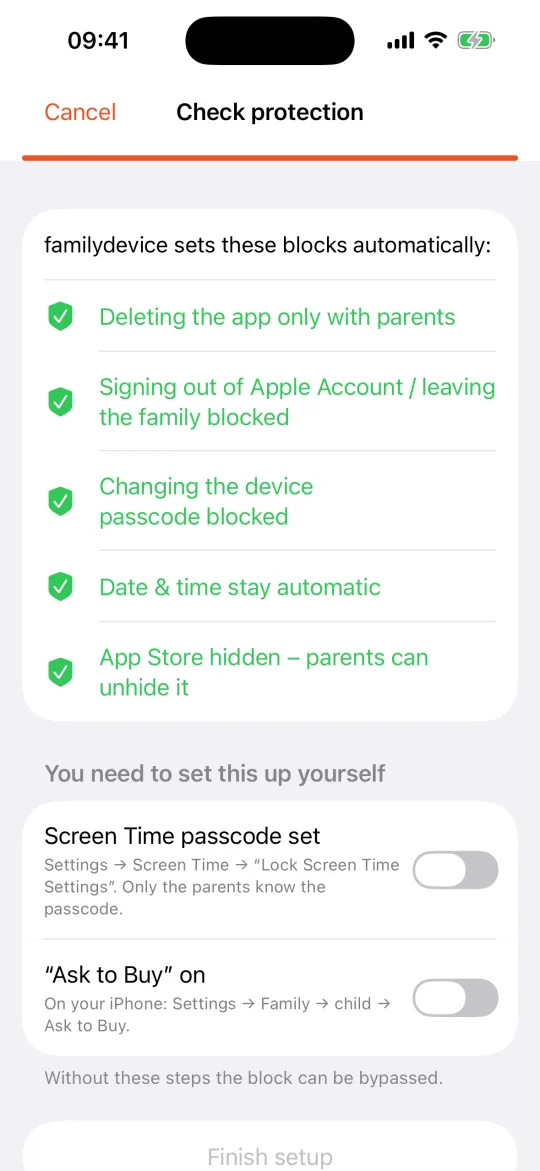 4
4 - Done
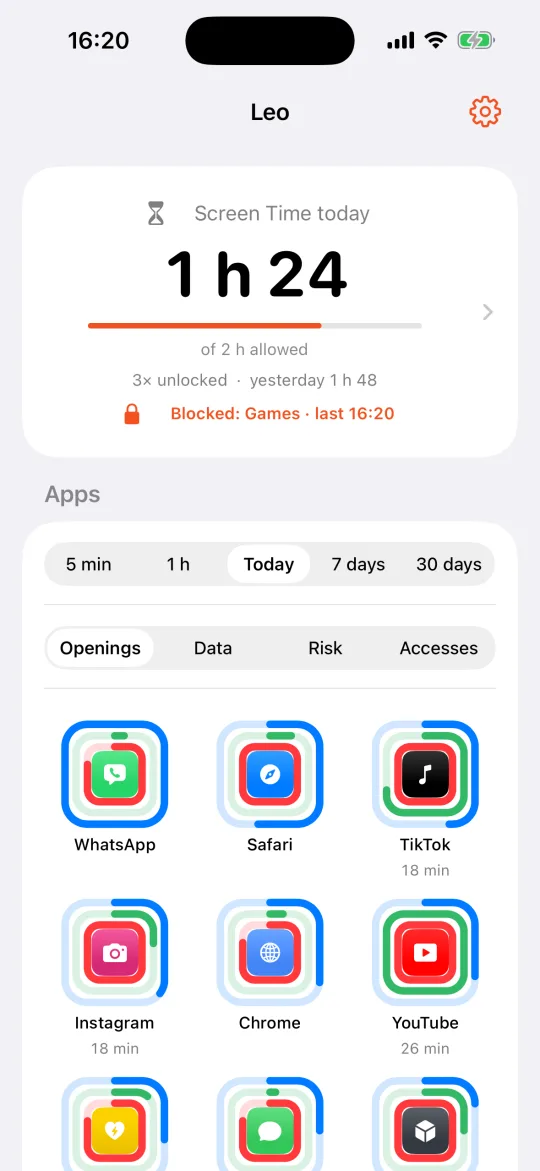 5
5
Five steps
- 1
“This is my iPhone”Parent iPhone
Open the app, tap “This is my iPhone”, enter your name. Allow notifications — that is how your kid’s requests reach you.
- 2
Screen Time and parent PINKid’s iPhone
Open the app, “This is my kid’s iPhone”, your kid’s name. “Confirm with a parent’s Apple Account” gives the app Screen Time access. Then set a 6-digit parent PIN your kid does not know.
- 3
Pair side by sideBoth
Parent iPhone: “Add kid’s iPhone”, tap “Leo’s iPhone”. Both iPhones show the same 6-digit code — tap “It matches” on both. From now on everything between your iPhones is end-to-end encrypted.
- 4
Permissions and protectionKid’s iPhone
Answer the four permissions (location: “Always”). Then set a Screen Time passcode (Settings → Screen Time) and turn on “Ask to Buy” on your iPhone (Settings → Family → child). Once both are ticked, tap “Finish setup”.
- 5
Assign apps, doneParent iPhone
Tap Leo, tap “Social Media”, “Choose app”, tick the category “Social”. Same for Games (“Games”) and Video (“Entertainment”). Hand the iPhone back.
- Bedtime 21:00–07:00
- the whole iPhone, except “Always Allowed”
- School Mon–Fri 07:30–14:00
- social media, games and video are off
- Daily limits
- social media 30 min · games 45 min · video 45 min · 2 h in total — at weekends 45 · 90 · 90 · 3 h
- Blocked
- ads & trackers, malware & phishing, adult websites
- Only with you
- deleting the app, installing apps, clock, device passcode, Apple Account
Too strict? On your iPhone: tap Leo, tap the rule, change it — two taps. Your kid taps “Request more time” on the block screen; you approve right from the notification.
familydevice.com/en/setup · Questions: hallo@anticipater.com · ANTICIPATER GmbH, Karlsruhe, Germany